Pelosi Tracker November 2025: Smart Notifications, Advanced Filters & Refer-a-Friend
What's New This Month
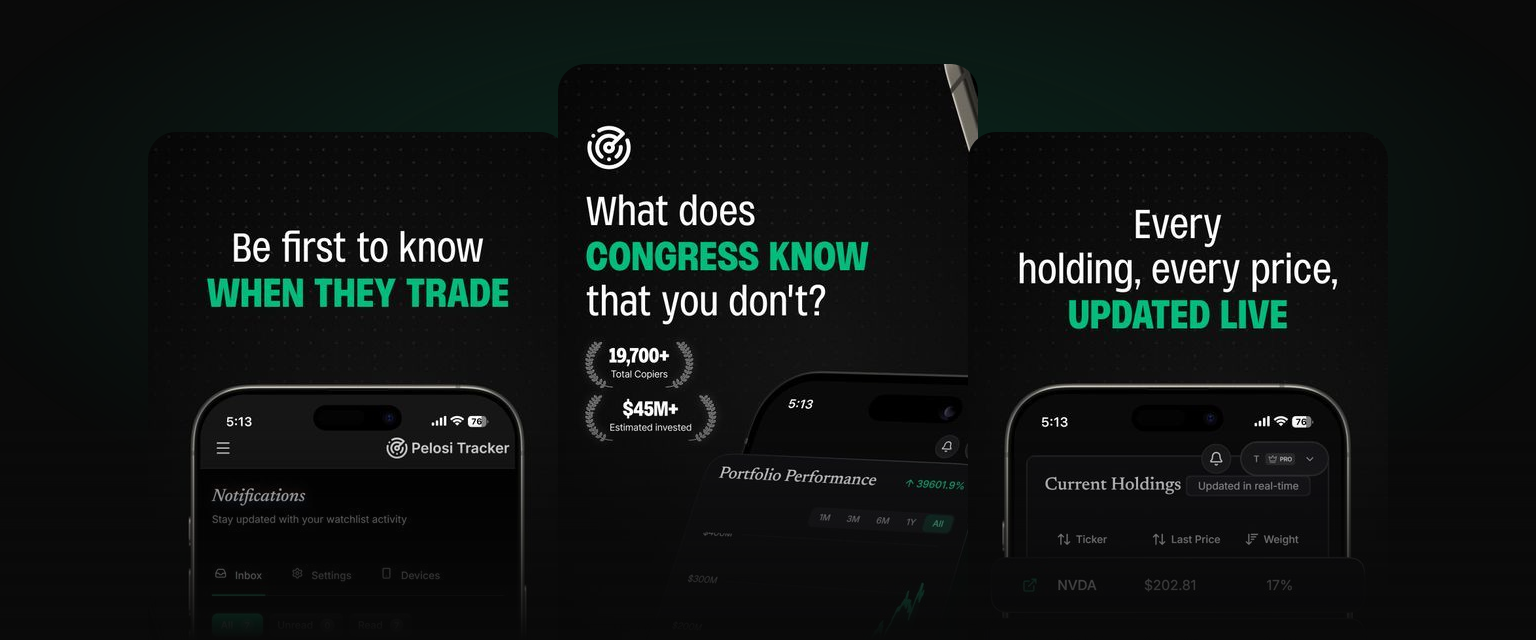
November has been our biggest month yet for notifications and user control. We've completely rebuilt how you receive and manage alerts, giving you more power over what reaches your inbox and how you stay informed about congressional trading activity.
This update focuses on three core areas: smarter notifications that let you filter exactly what you want to see, in-app notifications so you never miss an update even when you're browsing, and a brand new refer-a-friend program that rewards you with free Pro months for sharing Pelosi Tracker.
Whether you're a free user wanting better notification management or a Pro member looking for laser-focused trade alerts, this update delivers.
1. Completely Redesigned Email Templates
Professional, Consistent, Mobile-Friendly
Every email from Pelosi Tracker has been redesigned from the ground up. Our new email system delivers:
- Modern Visual Design: Clean layouts with consistent branding that looks professional in any email client
- Mobile-First Approach: Emails render beautifully whether you're reading on your phone, tablet, or desktop
- Clear Call-to-Actions: Prominent buttons make it easy to jump straight to the relevant filing or dashboard
- Better Readability: Improved typography, spacing, and colour contrast for easier scanning
The redesign affects all email types including new filing alerts, weekly summaries, subscription confirmations, and promotional communications. You'll notice the difference immediately.
2. In-App Notifications: Never Miss an Update
Your Notification Centre, Built Into the Dashboard
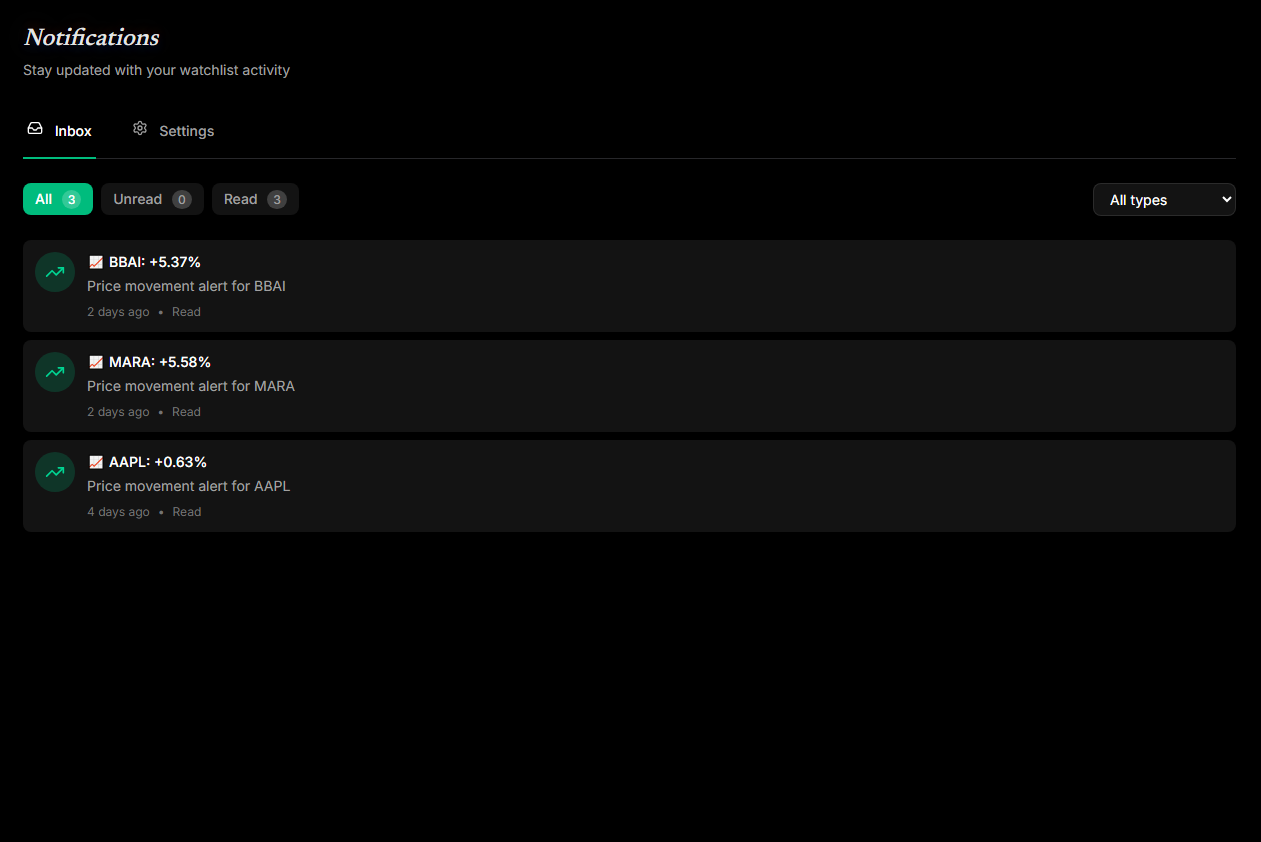
For the first time, Pelosi Tracker now features in-app notifications directly in your dashboard. No more relying solely on email. Look for the notification bell icon in your navigation bar.
What You'll See:
- Unread Count Badge: A small counter shows how many new notifications are waiting
- Quick Preview Dropdown: Click the bell to see your five most recent notifications without leaving your current page
- Full Notifications Inbox: Access a dedicated page with all your notifications and powerful filtering
Notification Inbox Features:
- Filter by Status: View all notifications, just unread, or only read
- Filter by Type: Focus on politician updates, stock alerts, weekly summaries, or app updates
- One-Click Navigation: Click any notification to jump directly to the relevant filing, stock, or page
- Mark as Read: Clear individual notifications or mark all as read with a single click
In-app notifications work alongside email. They don't replace it. You choose your preferred channels in your notification settings.
3. Notification Subtypes: Take Control of What You Receive
Granular Control Over Every Alert Category
Previously, notification settings were simple toggles: politician updates on or off, stock updates on or off. Now you have granular control over specific notification subtypes within each category.
Politician Updates Now Includes:
- New Filings: Get alerted when tracked politicians submit new financial disclosure filings (the core alert most users want)
- Impact Events: Receive notifications for significant portfolio events like major position changes or unusual trading patterns
Stock Updates Now Includes:
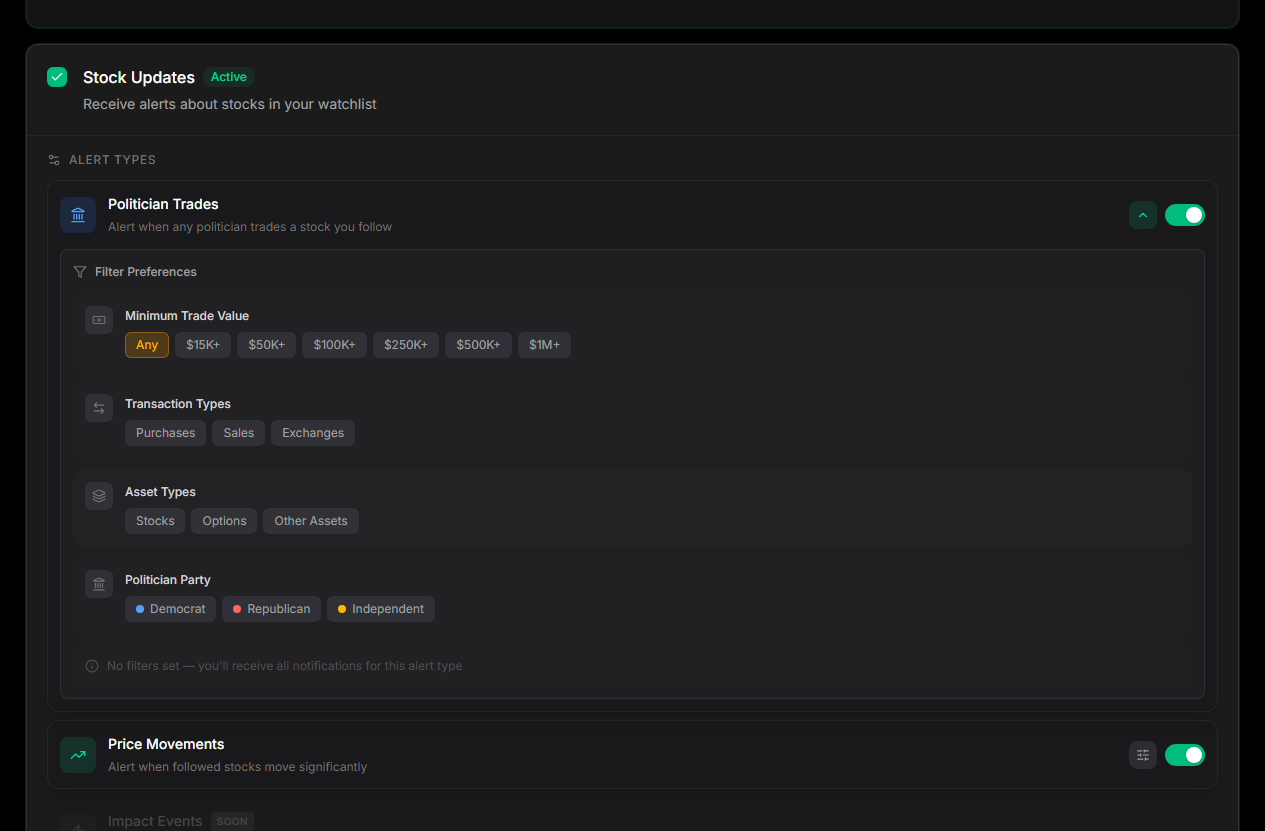
- Politician Trades: Alerts when any tracked politician trades a stock on your watchlist. Perfect for seeing when stocks you care about get congressional attention
- Price Movements: Get notified when stocks in your watchlist experience significant price changes (Pro feature)
- Impact Events: Major stock-related news affecting positions held by tracked politicians
Each subtype can be toggled independently, so you can enable new filing alerts while keeping impact events disabled, or vice versa. This means fewer irrelevant notifications and more signal, less noise.
4. Advanced Notification Filters for Pro Members
Filter Trades by Value, Type, Party, and More
Pro members now have access to advanced filters that let you dial in exactly which trades trigger notifications. Stop wading through small transactions when you only care about the big moves.
Minimum Trade Value Filter:
Set a threshold so you only receive alerts for trades above a certain size:
- Any (no minimum)
- $15,000+
- $50,000+
- $100,000+
- $250,000+
- $500,000+
- $1,000,000+ (only the largest trades)
Transaction Type Filter:
Choose which transaction types you want to hear about:
- Purchases: New positions being opened or added to
- Sales: Positions being reduced or closed
- Exchanges: Asset swaps and conversions
Asset Type Filter:
Focus on the asset classes that matter to you:
- Stocks
- Options
- Other Assets
Political Party Filter:
Filter by the party affiliation of the trading politician:
- Democrat
- Republican
- Independent
Price Change Threshold:
For price movement notifications, set how much a stock needs to move before you're alerted:
- Freely adjustable from 1% to 25%
- Default is 5%, but you can fine-tune it to your preference
- Lower thresholds catch more movements; higher thresholds focus on significant swings
These filters apply to both email notifications and in-app alerts, ensuring consistency across all channels.
5. Refer a Friend: Earn Free Pro Months
Share Pelosi Tracker, Get Rewarded
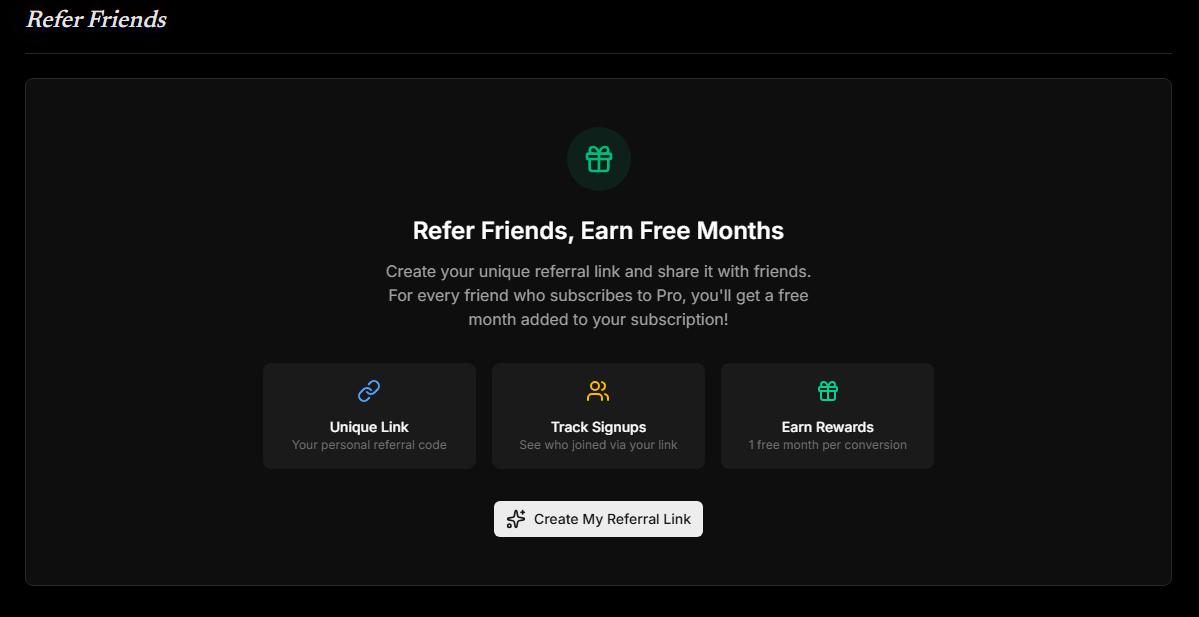
We're excited to launch our refer-a-friend program! Any registered user can now earn free Pro subscription months simply by sharing Pelosi Tracker with friends.
How It Works:
- Get Your Unique Link: Visit your referrals dashboard to generate your personal referral link
- Share With Friends: Send your link via Twitter, Facebook, LinkedIn, email, or anywhere else
- They Sign Up: When someone creates an account using your link, they're tracked as your referral
- They Subscribe to Pro: Once your referral subscribes to a paid Pro plan, you earn your reward
- You Get 1 Free Month: Your Pro subscription is automatically extended by one month
Track Your Progress:
Your referral dashboard shows:
- Signups: How many people have created accounts via your link
- Conversions: How many of those signups have subscribed to Pro
- Credits Earned: Total free months you've accumulated
- Pending Credits: If you're not currently subscribed, earned credits wait until you subscribe
No Limits:
There's no cap on how many friends you can refer. Refer 12 friends who subscribe and that's a full year of Pro for free!
Easy Sharing:
One-click buttons let you share directly to Twitter, Facebook, and LinkedIn with pre-written messaging. Or copy your link to share anywhere.
6. Enhanced Weekly Summary Emails
More Insights, Better Presentation
The weekly summary email has been significantly upgraded to give you a richer picture of congressional trading activity.
New Summary Statistics:
- Buy/Sell Breakdown: See at a glance how many transactions were purchases versus sales
- Top Traded Stocks: Discover which tickers saw the most congressional trading activity that week
- Transaction Counts: Clear counts of total filings and individual transactions
Improved Filing Cards:
Each filing in the summary now displays:
- Politician name and office
- Filing date with clear formatting
- Transaction count with buy/sell breakdown highlighted in colour
- Direct link to view full filing details
Visual Improvements:
The new design uses colour-coded badges (green for buys, red for sells) to make scanning the summary faster. You can quickly spot whether a week was dominated by buying or selling activity.
7. Marketing Notification Preferences
Control Promotional Communications
We've added a new notification category: Marketing Updates. This gives you explicit control over promotional emails separate from your trading alerts.
Marketing updates are disabled by default. You'll only receive them if you opt in. This keeps your inbox focused on the congressional trading intelligence you signed up for.
What's Next
Built for Scale
We've made all these notification improvements for a reason: we're preparing to significantly expand our politician coverage. The old notification system would have overwhelmed your inbox as we add more tracked politicians. Now, you only receive alerts that match your preferences.
With advanced filters, notification subtypes, and granular controls in place, we can confidently add new politicians without flooding you with unwanted alerts. You set the rules, and the system respects them.
Coming Soon:
- More Politicians: Expanding our coverage to track additional congressional traders
- Sector-Based Alerts: Get notified when multiple politicians trade in the same sector
Your feedback continues to shape our roadmap. The features in this update came directly from user requests, and we're always listening for what to build next.
Ready to Experience the New Notifications?
Configure Your Alerts Today
All these improvements are live now. Here's how to get started:
For Free Users:
- Explore notification settings to configure your preferences
- Look for the notification bell to see your in-app alerts
- Upgrade to Pro to unlock advanced filters
For Pro Members:
- Head to notification settings to set up advanced filters
- Configure your notification subtypes for granular control
- Visit your referrals dashboard to start earning free months
New to Pelosi Tracker?
Create a free account to start tracking congressional trades, then explore the new notification system to stay informed your way.
Have questions about the new features? Drop a comment below or reach out through the suggestion box on your profile page. We read every message.
Comments
Leave a comment
Please sign in to post a comment
0 comments Live